How to Build an IT Incident Playbook: A Practical DIY Guide
Can You Build an IT Incident Playbook Yourself? Honestly, yes. Here's How.
I'm going to give you something practical in this article.
Not because I'm indifferent to whether you ever work with me - but because answering people's real questions honestly, including the ones that might cost me business, builds the kind of trust that no sales pitch can produce. And because I genuinely believe that the organisation which understands its own incident process - even at a basic level - is in a far better position than one that doesn't, regardless of what tools or external support it eventually brings in.
So: can you build a basic incident communication playbook yourself, without external support?
Yes. You can.
And I want to say something important before I show you how, because it connects to a mistake I see organisations make regularly.
Build the Process Before You Choose the Tool
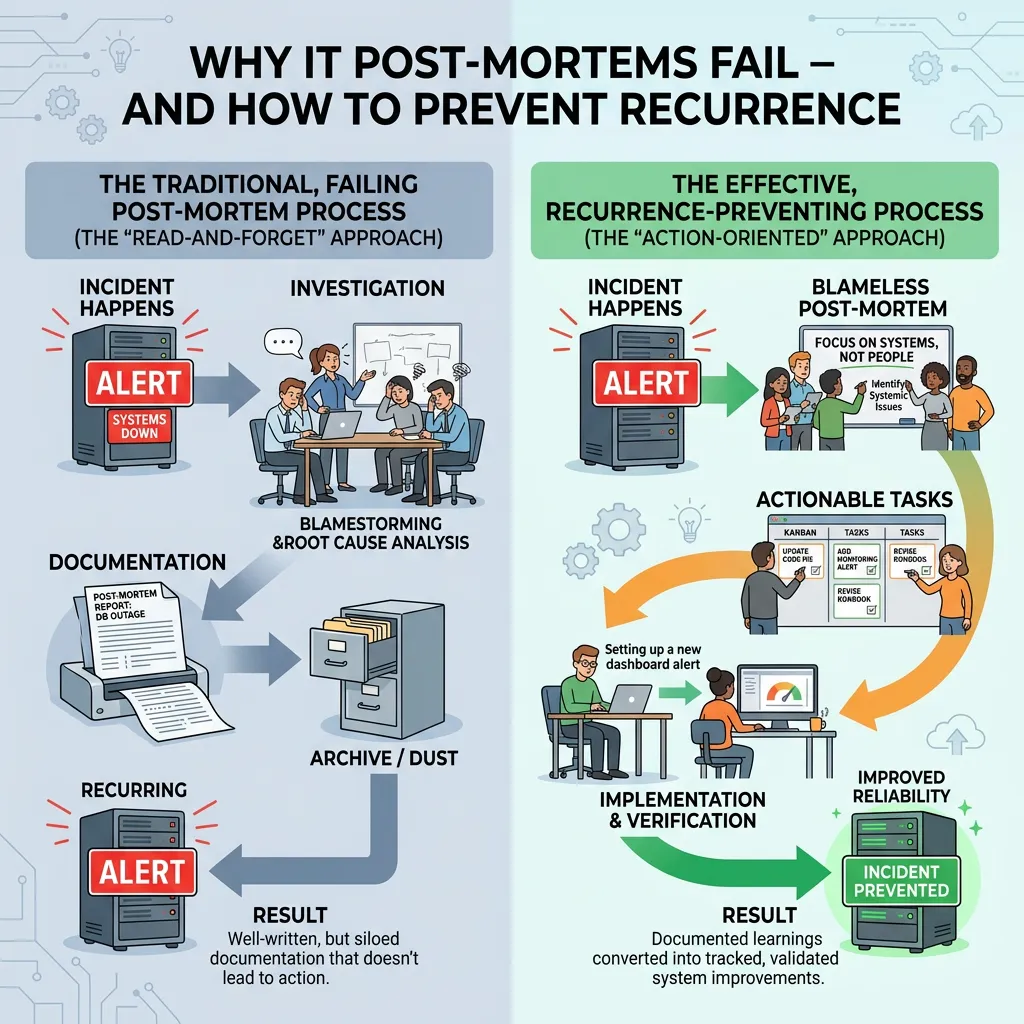
The most common mistake I see in incident management is the reverse of the right order. A company decides they need to improve its incident response. They evaluate tools - PagerDuty, Opsgenie, AlertOps, xMatters. They choose one. They implement it. And then they discover, in the next live incident, that the tool is efficiently alerting people to a process that still doesn't exist.
The tool fired the alert. Nobody was sure who owned the client communication. The escalation path was improvised. The CEO found out from a client. The tool performed exactly as designed. The incident response did not.
Building the playbook I'm about to describe solves this problem - and it gives you something else. When you've done this work, you'll know exactly what you need from a tool, if you need one at all. You'll be able to evaluate tools against your actual process requirements rather than against vendor feature lists. You'll be a better-informed buyer. And you'll make a better decision.
That's the order: process, then tool. Every time.
Step One: Define Your Incident Severity Levels
Before anything else, you need a shared language for how bad something is. Without this, every incident declaration involves a negotiation about whether this is serious enough to escalate - a negotiation that costs time you don't have.
A simple three-level model works for most companies of 15 to 200 people.
P1: Critical. Core service unavailable or significantly degraded. Revenue impact or client-facing impact confirmed or highly likely. Requires immediate response, all hands available. Communication to clients within fifteen minutes.
P2: Major. Significant degradation, but core service is partially functional. Impact contained but growing risk. Response within thirty minutes. Client communication within one hour if not resolved.
P3: Minor. Degraded performance or non-critical functionality affected. No immediate client impact. Managed through the normal support process. Communication only if the resolution extends beyond the agreed SLA.
The definitions matter less than the agreement. Your team needs to share a common understanding of what each level means - specifically enough that the on-call engineer can make a P1 declaration at 2 am without needing to consult anyone first.
Once you have these definitions, you'll also know what to look for in a tool. You'll know whether you need on-call routing that distinguishes P1 from P2. You'll know whether you need automated escalation after a specific time threshold. These become your requirements - not features you discovered in a demo.
Step Two: Define the Roles for a P1
A P1 needs three roles filled immediately. In a small team, one person may fill more than one role. But the roles need to be explicit - because the failure mode is everyone assuming someone else is doing each thing.
Incident Commander. Owns the overall response. Coordinates the technical team. Makes decisions when there is disagreement. Does not need to be the most technically expert person - needs to be the person who can keep the response structured under pressure.
Technical Lead. Owns the diagnosis and fix. Reports to the Incident Commander. Focused entirely on the technical problem. Not responsible for any communication outward.
Communications Lead. Owns all communication outside the technical team. Sends client updates. Briefs the CEO. Updates the status page. Manages inbound queries from customer service. This role is the most commonly missing one in organisations without a structured process - and it is the role that no tool fills automatically.
Write these three roles on a single page. Next to each role, write the name of the person who fills it by default - and the name of the backup if that person is unavailable.
Step Three: Write Your Five Communication Templates
You need five templates. Clear, calm, and adaptable in under two minutes.
Template 1: The fifteen-minute acknowledgement.-> "We are aware of an issue affecting [service/function]. Our team is currently investigating and working to resolve it as quickly as possible. We will provide an update by [time - thirty minutes from now]. We apologise for the disruption and will keep you informed."
Template 2: The thirty-minute update.-> "Update on the [service] issue: our team has identified [brief description without technical jargon] and is actively working on a resolution. Current estimated resolution time is [time, or 'we will provide a further update in thirty minutes']. We understand the impact this is having and appreciate your patience."
Template 3: The resolution communication.-> "The [service] issue has been resolved as of [time]. [Brief plain-language description of what happened and what fixed it.] We are monitoring the situation closely. We will follow up with a full incident summary within [24/48 hours]. We apologise for the disruption and thank you for your patience."
Template 4: The CEO or board briefing.-> "We've had a P1 since [time]. [Service] is affected for [scope]. The technical team identified [brief description] and is currently [specific action]. Our current estimate for resolution is [time or range]. We've sent an acknowledgement to affected clients and will update them at [time]. I'll update you again at [time]."
Template 5: The customer service holding statement.-> "We're aware of an issue affecting [service] and our technical team is actively working on a resolution. We're not able to give a precise resolution time at this moment, but we'll have an update by [time]. I can note your details and ensure you receive the update directly if that would be helpful."
Five templates. Written in advance. They remove the most expensive cognitive load of a live incident - starting from a blank page when the pressure is highest.
-
Step Four: Document Your Escalation Path
A single page. Three columns.
Column one: the situation. (P1 declared / P1 running beyond sixty minutes/client requests CEO contact/media enquiry received.)
Column two: who gets contacted. The specific name and role.
Column three: how they get contacted. Direct mobile number - not email, not a support portal.
This document should be accessible in thirty seconds at 2am on a mobile device without a VPN login. That requirement also tells you something useful when you evaluate tools: does the platform you're considering make this information accessible under real conditions? Some do. Some require a login flow that defeats the purpose.
Step Five: Test It Before You Need It
This is the step most teams skip. And it is the step that determines whether everything you've built actually works.
Run a tabletop exercise. Not a full simulation - a one-hour meeting where you walk through a fictional P1 scenario using the roles, templates, and escalation paths you've built. Have the communications lead actually draft the fifteen-minute acknowledgement in the meeting. Have the incident commander actually make the escalation decision. See where the friction is.
The friction you find in a tabletop exercise is the friction you fix before a live incident. The friction you don't find will find you at 2 am.
Where the Ceiling Is - And What Comes Next
This framework will meaningfully improve your incident communication from where most companies start.
The ceiling of self-built process is typically in three areas: objectivity (it's hard to accurately assess gaps in a process you designed yourself), the human performance layer (frameworks address structural problems but not the individual under pressure), and maintenance (processes drift as systems and teams change).
Start with what you can build. Test it. Use it.
When you've done this work, you'll be in a much stronger position — whether you decide to bring in external support to pressure-test it, or whether you use the clarity it gives you to make a more informed tool selection. You'll know your escalation paths. You'll know your communication ownership. You'll know your severity thresholds.
That knowledge makes everything downstream better. The tool you choose. The consultant you engage. The process you build. All of it is built on a foundation that you've created, honestly, from the inside out.
Frequently Asked Questions
Should I build my incident playbook before evaluating incident management tools?
Yes. Your playbook defines the process the tool needs to serve - severity levels, escalation paths, on-call roles, and communication ownership. Without that clarity, tool evaluation is based on feature comparison rather than operational fit. Build the playbook first. Then use it to define your tool requirements. You'll make a better decision, faster.
What should an IT incident playbook include?
A basic incident playbook should cover: severity level definitions (P1/P2/P3), three named roles for a P1 response (incident commander, technical lead, communications lead), five communication templates, a one-page escalation path with direct contact numbers, and instructions for running a tabletop test exercise.
How long does it take to build an incident playbook?
A basic, functional playbook can be built in one focused half-day session - provided the key decisions about roles, severity thresholds, and escalation contacts are made during that session. The most important investment after building it is testing it with a tabletop exercise before it's needed in a real incident.
What is the difference between a runbook and an incident playbook?
A runbook is a technical step-by-step guide for resolving a specific type of incident (e.g. database failover, service restart). An incident playbook is the broader framework covering roles, communication, escalation, and coordination that applies to all incidents - regardless of their technical nature. Runbooks sit inside the broader playbook.
How do I run a tabletop incident exercise?
Schedule a one-hour meeting with the people who would be involved in a real P1 response. Describe a fictional scenario. Walk through the incident minute by minute: who declares P1, who fills which role, what the first communication says and when it goes out, when escalation happens. Have people actually draft the communications rather than just discussing them. Debrief on where the friction was. The goal is not to test people - it's to find the gaps before a live incident does.